
Thinking about running webinar training for your team, customers, or prospects? You’re onto something big. Webinars are one of the most cost-effective ways to educate people at scale. But here’s the catch: most webinar trainings are painfully boring, poorly planned, and ultimately ineffective.
How do you avoid joining the ranks of forgettable, skip-worthy webinar trainings? How do you create educational content that people actually watch, learn from, and apply?
That’s exactly what we’re covering in this guide. You’ll learn what makes webinar training effective, why it’s worth your time and money, and most importantly – a proven five-step process for hosting trainings that genuinely educate and engage your audience.
Let’s dive in.
Key Insights
- Webinar training eliminates expensive overhead costs – no venue rental, catering, or travel expenses. You can educate hundreds of people from a simple office setup.
- Digital training often increases engagement rather than reducing it – participants can focus on content without in-person distractions, plus you gain access to polls, surveys, and real-time interaction tools.
- Record once, educate forever – webinar recordings become evergreen training assets you can repurpose as on-demand content for months or years.
- Four training formats serve different needs – live webinars create excitement and real-time interaction, on-demand provides flexibility, automated combines both benefits, and follow-up recordings ensure no one misses out.
- Engagement features transform passive viewers into active learners – polls, Q&A sessions, screen sharing, and visual content keep attention focused and information retention high.
- Analytics reveal what’s working – track attendance rates, engagement levels, and viewing duration to continuously improve your training effectiveness.
What is a Webinar Training?
Webinar training is any educational content – lectures, workshops, tutorials, skill-building sessions – delivered through webinar software. It doesn’t matter whether it’s live-streamed or on-demand. If it teaches people something valuable through a webinar format, it’s webinar training. 
Think of webinar training as the digital evolution of classroom learning. Instead of gathering everyone in a conference room, you bring the classroom to them – wherever they are, whenever works best.
Companies use webinar training for all sorts of purposes: onboarding new employees, teaching customers how to use products, generating qualified leads, building brand authority, and even directly increasing sales by educating prospects on solutions.
The beauty of webinar training? It scales effortlessly. Whether you’re teaching five people or five thousand, the effort on your end stays roughly the same.
3 Webinar Training Benefits
Should your organization invest time and resources in webinar training? Absolutely – if you want to reduce costs, boost engagement, and multiply your team’s productivity without working harder.
Here’s why webinar training delivers such strong ROI:
1. Affordability
Remember the last time you attended in-person training? Add up the venue rental, catering for lunch, printed materials, speaker travel, and everyone’s time away from work. That single day probably cost thousands – maybe tens of thousands – of dollars.
Webinar training eliminates nearly all of those expenses. You can host training from your office, your home, or anywhere with a decent internet connection. Your participants join from their desks or couches. No travel expenses. No venue fees. No catering bills.
What used to cost $10,000 for a single training session now costs the price of your webinar software subscription. And that same recorded webinar can train hundreds more people at zero additional cost.
2. Engagement
Here’s something that surprises most people: webinars often increase participant engagement compared to in-person training.
How? In a physical classroom, participants get distracted by side conversations, people walking by, uncomfortable chairs, and the person next to them checking their phone. In a webinar, those distractions disappear. Participants can focus entirely on your content.
Plus, modern webinar platforms pack serious engagement tools. You can share your screen to show exactly what you’re explaining. Launch polls and surveys to check comprehension in real-time. Open Q&A sessions where even shy participants feel comfortable asking questions via chat.
The result? People pay closer attention, retain more information, and feel more comfortable participating.
3. Productivity
This is where webinar training becomes truly powerful. Create the training once, then use it indefinitely.
Record your live webinar. Turn it into an on-demand training module. New employee starts next month? They watch the same training. Customer needs product education? Same video. Lead wants to learn more before buying? You guessed it – same content.
One hour of effort creating a webinar can educate hundreds or thousands of people over months or years. That’s productivity multiplication, not addition.
Get Started with Webinar Training
Those three benefits – affordability, engagement, and productivity – explain why smart companies are shifting to webinar-based training. But knowing the benefits isn’t enough. You need a practical process for creating training that actually works.
Follow these five steps and you’ll host webinar trainings that educate effectively while building your brand and business.
1. Learn from the Experts
Before you plan your first training, study people who already do it well. Why reinvent the wheel when you can learn from experts who’ve already figured out what works?
You have two great options here:
- Study Your Favorite Educators – Who teaches in your industry or niche? Which content creators do you follow? Sign up for their webinars and analyze everything: their presentation style, how they structure content, when they use visuals, how they handle Q&A, what CTAs they use. Take detailed notes on what keeps you engaged and what falls flat.
- Browse ClickMeeting’s Webinar Examples – Visit ClickMeeting’s Press Center to watch professionally produced webinars across different industries. See how effective trainers structure their content, engage their audience, and deliver value.
Don’t just watch passively. Ask yourself: What makes this engaging? Why did they structure it this way? What would I do differently? This active learning accelerates your own webinar skills dramatically.
2. Choose Your Training Format
Once you’ve studied some examples, it’s time to plan your own training. Start by deciding which format fits your goals and audience best.
You’ve got four solid options, each with distinct advantages:
- Live Streamed Webinars – These create urgency and excitement. “Join us live this Thursday” feels more compelling than “watch whenever.” Live webinars also enable real-time interaction – you can answer questions immediately, adjust your presentation based on audience reactions, and use polls to gauge comprehension. The downside? Everyone needs to attend at the same time, which limits accessibility.
- On-Demand Webinars – These give participants ultimate flexibility. Busy schedule? Watch at midnight. Confused about a concept? Rewatch that section three times. For trainers, on-demand means you record once and educate forever. New employees can complete onboarding training any day of the year. The tradeoff? Less urgency and no real-time interaction.
- Automated Webinars – Think of these as scheduled on-demand webinars. You pre-record your training, then schedule it to run at specific times – maybe Tuesdays at 2pm and Thursdays at 7pm. This combines the “show up at a specific time” urgency of live webinars with the “record once, use forever” efficiency of on-demand. Participants get a more live-feeling experience even though it’s recorded.
- Follow-Up Recordings – Someone registered for your live training but couldn’t attend? Send them the recording afterward. This ensures you still deliver value to everyone who showed interest, even if timing didn’t work out. It’s not a format in itself, but a crucial backup that maximizes the value of your live trainings.
Here’s a pro tip: start with live training, then repurpose it. Host a live session to gauge audience reaction and refine your content. Then turn that recording into on-demand or automated training. Best of both worlds.
Expert Opinion
The most common mistake in webinar training is trying to cover too much. Trainers pack 40 slides into a 60-minute session, racing through content and overwhelming participants. But effective training isn’t about quantity – it’s about retention. I’d rather cover three concepts thoroughly, with examples and practice, than rush through ten topics that people forget by tomorrow. When planning your training, ask yourself: what are the three most important things I want people to remember next week? Build your entire session around those three things.
3. Craft Engaging Content
Format chosen? Great. Now comes the most important part: creating content that actually educates and engages.
Here’s what you need to nail before you hit record:
- Choose a Focused Topic – Your training topic needs to be specific enough to deliver real value but broad enough to appeal to your target audience. “Email Marketing” is too vague. “How to Write Subject Lines That Double Your Open Rates” is specific and actionable. Choose topics your audience cares about AND that connect to your business goals.
- Create a Clear Agenda – Map out your training structure before you record anything. Your agenda serves two purposes: it keeps you on track during delivery, and it gives participants a roadmap to follow along. Break your topic into logical sections with time estimates for each. Share this agenda with participants beforehand so they know what to expect.
- Use Powerful Visuals – Your brain processes visual information 60,000 times faster than text. Don’t make people stare at your talking head for 45 minutes. Include slides with clear visuals, relevant images, charts, graphs, and screenshots. Show, don’t just tell. Demonstrating a process with your screen is infinitely more effective than describing it.
- Build in Interaction – Passive watching leads to passive learning. Engagement drives retention. Schedule polls throughout your training to check understanding. Include Q&A segments where people can ask questions. For on-demand training, address the most common questions your team typically receives. Use ClickMeeting’s survey and polling features to make participation easy.
- End with a Clear Call-to-Action – What should participants do after completing your training? Apply for that advanced certification? Schedule a consultation? Download supplementary materials? Try your product? Every training needs a clear next step. State it explicitly at the end. Make it easy to complete. Track who takes action.
4. Market Your Webinar Event
You’ve created brilliant training content. Now you need people to actually attend.
Even the best training in the world doesn’t help your business if nobody shows up. Marketing your webinar is just as important as creating it. Here’s how to fill those virtual seats:
- Email Your List – Your email subscribers already know and trust you. They’re your warmest audience. Send a compelling invitation explaining what they’ll learn and why it matters to them. Don’t send just one email – schedule a series: the initial invitation, a reminder one week out, another reminder the day before, and a final “starts in one hour” message. Each email should emphasize different benefits to maintain interest.
- Leverage Social Media – Promote on social platforms where your target audience spends time. For B2B training, LinkedIn is gold. For consumer education, try Facebook or Instagram. Create multiple posts with different angles: one highlighting what participants will learn, another sharing testimonials from past trainings, another creating urgency about limited spots. Don’t just post and forget – engage with comments and questions.
- Partner with Influencers – Know respected voices in your industry? Ask them to promote your training to their audience. Their endorsement carries weight because their followers already trust them. Consider inviting an influencer to co-host, which gives them a reason to promote aggressively. Be prepared to compensate them or offer value in return.
- Invest in Paid Advertising – Want to reach beyond your existing audience? Facebook Ads and Google Ads let you target specific demographics with precision. Target by job title, company size, industry, interests, and more. Start with a small budget, test different ad variations, and scale up what works. Track your cost per registration to ensure positive ROI.
- Promote In-Person – Don’t overlook traditional networking. Mention your upcoming training at industry events, conferences, and local meetups. Business cards and casual conversations still convert. Just read the room – nobody likes aggressive self-promotion at networking events.
Start promoting at least two weeks before your training. The more touchpoints people have with your invitation, the more likely they’ll remember to attend.
5. Analyze Your Previous Trainings
Your first webinar training won’t be perfect. Neither will your tenth. The key is continuous improvement based on actual data, not assumptions.
After each training session, dig into the numbers and participant feedback:
How many people registered versus actually attended? A big gap means you need better reminder emails or more compelling reasons to show up live. How long did participants stay? If everyone drops off after 20 minutes, your content isn’t engaging enough or you’re not delivering on your promises.
Which topics generated the most questions? These are areas where you need clearer explanations or deeper coverage. What did participants say in post-training surveys? This direct feedback reveals what worked and what didn’t better than any metric.
Did people take your call-to-action? If not, either the CTA wasn’t compelling enough, wasn’t clear enough, or you didn’t earn enough trust during the training. Review whether you’re choosing the right topics for your target audience. Analyze whether live or on-demand formats work better for your specific situation.
Use this data to make your next training better. Small improvements compound over time into dramatically more effective trainings.
Host Your Next Webinar with ClickMeeting
You now have a complete roadmap for hosting effective webinar training. But there’s one more critical ingredient: the technology platform that makes it all possible.
You need software that’s reliable, feature-rich, and actually easy to use. That’s why nearly 150,000 customers have chosen ClickMeeting to host trainings for more than 17 million attendees in just the last year.
Why does ClickMeeting work so well for training?
Because it combines affordability with professional features that actually enhance learning:
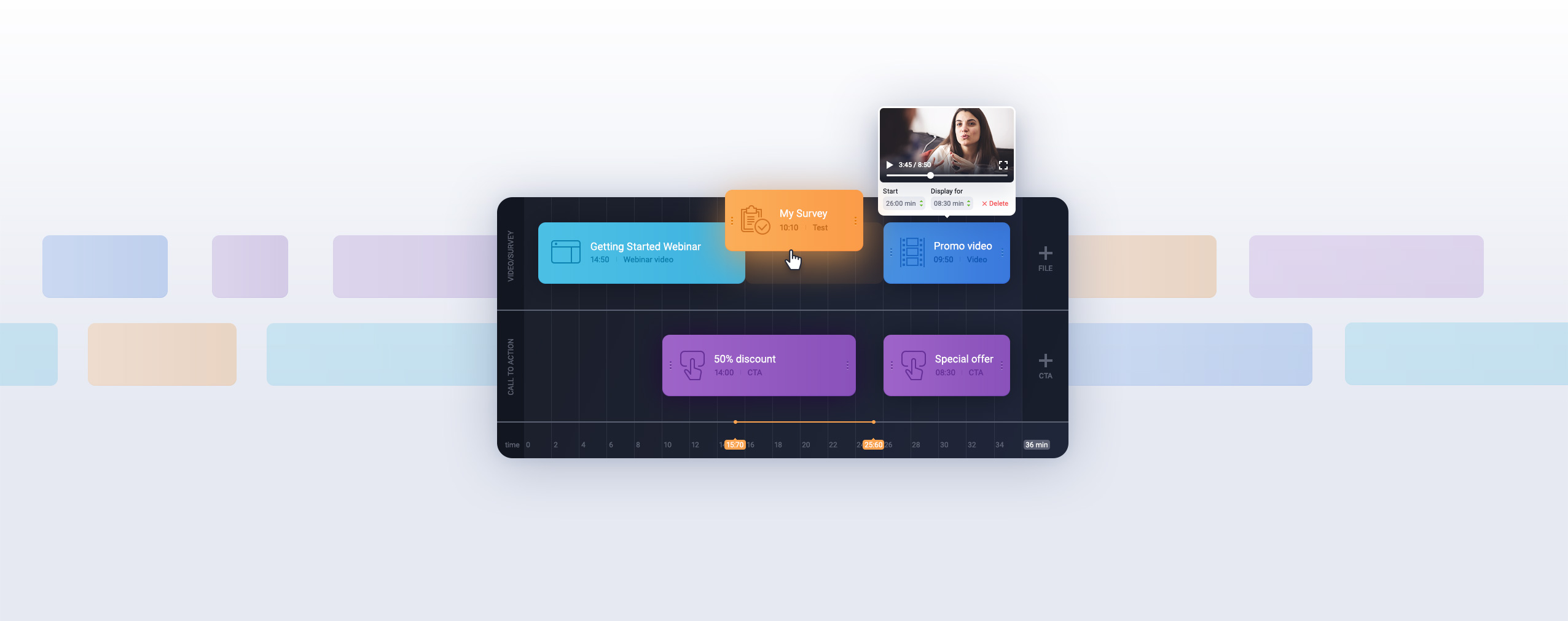
- Automated Webinars – Create your training once, then let it run on autopilot. Upload your recording, polls, surveys, and CTAs to the timeline. Schedule when it runs. Our automated webinar system handles everything while you focus on other work. It’s like having a training that teaches while you sleep.
- Custom Branding – Your training should look like it came from your company, not a generic webinar platform. ClickMeeting lets you customize everything – add your logo, use your brand colors, create a professional experience that reinforces your brand at every touchpoint.
- Engagement Tools That Actually Work – Keep participants actively learning with our digital whiteboard for visual explanation, screen sharing for step-by-step demonstrations, real-time polls to check comprehension, surveys for feedback, and private chat for questions. These aren’t gimmicks – they’re proven tools that increase information retention.
- Multi-Platform Streaming – Not everyone will join your training on your website. That’s why we let you simultaneously stream to Facebook Live and YouTube Live. Reach participants wherever they prefer to watch. Expand your training reach without extra effort.
- Analytics That Matter – Our detailed analytics dashboard shows you everything: who attended, how long they watched, which devices they used, where they’re located, when they engaged with polls, and what questions they asked. Use this data to continuously improve your training effectiveness.
ClickMeeting isn’t just for training either. Use it for company meetings, product demos, sales presentations, and more. It’s the all-in-one solution for professional online events.
Transform Your Training with Webinars
Webinar training offers something rare in business: a way to dramatically improve results while reducing costs. You can educate more people, more effectively, with less expense than traditional training methods.
The five-step process we’ve covered gives you everything you need to get started:
- Learn from experts who already do it well
- Choose the training format that fits your goals
- Craft engaging content with clear structure and interaction
- Market your training across multiple channels
- Analyze results and continuously improve
Don’t overthink it. Your first webinar training won’t be perfect, and that’s okay. The key is getting started, learning from each session, and improving over time.
FAQ: Webinar Training
What’s the ideal length for a webinar training session?
Most effective webinar trainings run 45-60 minutes. This gives you enough time to cover material thoroughly without overwhelming participants. If you have more to teach, consider breaking it into a series of shorter sessions rather than one marathon webinar. People retain information better from multiple shorter sessions than one long one. For quick skill-building, 30-minute focused trainings work well too.
Should I offer live webinar training, on-demand, or both?
Start with live training to test your content and gather real-time feedback. Record that live session, then repurpose it as on-demand training for people who couldn’t attend or want to rewatch. This gives you the best of both worlds: the engagement and urgency of live events plus the scalability and flexibility of on-demand content. Automated webinars scheduled at specific times split the difference nicely.
How do I keep people engaged during webinar training?
Use the 10-minute rule: introduce some interactive element at least every 10 minutes. This could be a poll, a question to the audience, a screen share demonstration, or a quick break for Q&A. Vary your content types – alternate between slides, screen shares, whiteboard explanations, and videos. Most importantly, focus on practical application rather than theory. Show people exactly how to do something, not just explain concepts.
What’s the best way to measure webinar training effectiveness?
Track three key metrics: attendance rate (registrations vs. actual attendees), engagement rate (how long people stayed and how they interacted), and application rate (did they take the action you wanted after training). Post-training surveys asking “What will you do differently after this training?” reveal actual learning better than “Did you like it?” Also track business results – if you’re training customers on product features, do they use those features more after training?
How much should I invest in webinar training software?
Quality webinar platforms range from $25-200+ per month depending on features and audience size. For most businesses, investing in reliable, feature-rich software like ClickMeeting pays for itself immediately through time saved and better training outcomes. Don’t cheap out on the technology – bad audio, glitchy video, or limited features will undermine even the best content. A professional platform enhances your credibility and ensures participants can focus on learning rather than fighting with technology.