
Video conferencing has quickly become the default way for distributed teams to meet, present, and collaborate — not a workaround for when travel is impossible, but the primary channel for real-time professional communication. Yet “video conferencing” covers a wide spectrum of hardware, software, and infrastructure choices that genuinely affect quality, security, and cost. This guide explains how it all works, what the main types of setups look like, what you actually need to get started, and how to choose the right platform for your organisation.
|
📌 Key Insights
|
The videoconferencing market has expanded dramatically over the past five years. What was once specialist enterprise technology is now standard infrastructure for businesses of every size. Platforms like Zoom, Google Meet, and Microsoft Teams brought video conferencing into the mainstream, and usage has continued to grow well beyond the pandemic surge. According to ClickMeeting’s own data, the platform hosted 300,000 online events with over 3.2 million attendees in a single month in 2020 — a scale that would have been unimaginable a decade earlier. Understanding the technology behind these tools helps you make better decisions about hardware, software, and which conferencing solutions actually fit your context. 
How Does Video Conferencing Work? Learn How It Works at the Technical Level
Video conferencing works by capturing audio and video at one location, compressing and transmitting them over the internet, and displaying them in real time at another location. The underlying mechanism involves audio and video encoding, network transmission via internet protocol, and decoding at the receiving end — all happening fast enough that the conversation feels instantaneous.
At the heart of any video conferencing system is the compression layer. Raw video and audio data is far too large to transmit in real time over standard internet connections without encoding. Video coding standards — such as H.264 and H.265 — compress the video stream to a fraction of its original size while maintaining acceptable video quality. The audio and video signals are packetised and routed across the network, reassembled at the receiver, and decoded back into the live video and audio the participants see and hear.
In a multi-participant call, the video feeds from each participant travel to the platform’s servers, which mix them and distribute the combined stream to everyone in the session. This is why the server infrastructure behind a conferencing solution matters — the video image latency, audio sync, and overall video experience are all direct products of server capacity and geographic distribution. Modern videoconferencing technology handles this mixing at cloud scale, eliminating the need for organisations to run their own conferencing infrastructure.
Platforms are often referred to as a video conferencing solution, a web conferencing tool, or a virtual meeting system — terms that are used largely interchangeably in practice. What they all share is this same fundamental architecture: capture, compress, transmit, decode, display.
Types of Video Conferencing: Which Setup Is Right for You?
Understanding the different types of video conferencing setups is the starting point for choosing the right hardware and software combination for your needs. The main categories differ in scale, cost, and the use cases they are designed for.
Desktop and Software-Based Video Conferencing
Desktop video conferencing is the most accessible entry point. It runs through video conferencing software installed on a laptop or desktop computer, or directly through a browser — no dedicated hardware required beyond a built-in webcam and microphone. Video conferencing apps on desktop are how most individual users and small teams access video calling day-to-day. Zoom, for example, became the ubiquitous default largely because of how low its desktop entry barrier was — download the app, click a link, join the conference. Platforms like ClickMeeting go a step further by offering fully browser-based access: no software download at all.
Software platforms in this category range from free video tools with basic functionality to enterprise-grade software systems with security controls, analytics, and advanced integrations. Most software applications in this space now offer some level of recording, screen sharing, and chat alongside the core video call functionality. Many provide a free plan with participant or time limits — useful for evaluation, but typically insufficient for regular professional use.
The virtual room in desktop-based video conferencing is entirely software-generated — a browser tab or application window that contains the video chat interface, participant grid, and collaboration tools. This makes it highly flexible: you can make video calls from a home office, a hotel room, or a coffee shop with equal ease, as long as you have adequate internet connectivity and a desktop with a camera and microphone.
Conference Room Systems and Room-Based Hardware
For organisations that need a permanent, high-quality video conferencing setup in a shared space, conference room systems offer a dedicated hardware solution. A conference room typically includes a large display or multiple displays, a wide-angle video camera mounted at the front of the room, a ceiling or table-top microphone array that picks up audio from all directions, and a central processing unit that connects everything to the network.
Room systems vary significantly in complexity. Entry-level meeting room setups might use an all-in-one device — a camera bar with built-in microphones and a codec — that connects to any display and runs the conferencing software on a connected laptop or tablet. At the high end, a telepresence system uses multiple large screens, calibrated cameras, and spatial audio to create the closest digital approximation of sitting across a table from someone. These systems deliver exceptional video and audio quality but require significant investment in videoconferencing equipment and installation.
Conference room systems are purpose-built for reliability and audio and video quality in shared spaces. The microphone array is particularly critical in a room system — it determines whether the person furthest from the device can be heard as clearly as the person sitting directly in front of it. A high-quality room microphone setup transforms the experience for remote participants who would otherwise struggle to follow the conversation.
For organisations evaluating video conferencing equipment, the gap between entry-level and enterprise-grade conference room systems is significant — both in performance and in price. The right level depends on how frequently the room is used, how many participants it typically serves, and what audio and video quality expectations are in place.
Mobile Video Conferencing
Most modern video conferencing software runs on smartphones and tablets as well as desktop systems, giving participants the flexibility to join from any device. Mobile video conferencing uses the built-in camera and microphone on a mobile phone or tablet, supplemented by the platform’s software application. The video quality achievable through a modern smartphone camera is genuinely impressive — many recent mobile devices capture high definition video and deliver audio and video quality that rivals a dedicated webcam setup.
The limitation of mobile participation is typically environmental rather than technical. Background noise, unstable connections, and the challenge of sharing a screen or document on a small display make mobile phone access better suited for joining a call than for hosting or presenting. That said, for teams in the field, on the road, or working across different time zones, mobile access to video conferencing is an important capability — it means access to videoconferencing is never conditional on being at a desk.
|
Test ClickMeeting’s video conferencing solution free for 14 days — browser-based, no download required, fully GDPR-compliant. |
Video Conferencing Hardware and Software: What You Actually Need
Setting up a reliable video conferencing environment comes down to choosing the right hardware and software components for your use case. Hardware and software interact closely — a high-quality camera paired with poor audio processing still produces a frustrating experience, and the most sophisticated software platform cannot compensate for a microphone that picks up every background noise in the room.
The Hardware Side: Camera, Microphone, and Display
The camera and microphone are the two foundational hardware components of any video conferencing setup. For desktop use, most laptops come with a built-in webcam that captures adequate video for internal meetings. However, built-in cameras are typically positioned at the top of the screen and capture video at angles that are less flattering and less clear than a dedicated external video camera mounted at eye level. If video quality matters for your use case — client presentations, sales demos, external webinars — a dedicated webcam or video camera is worth the investment.
The microphone is, arguably, more important than the camera. Poor audio is consistently the most disruptive problem in video conferencing — far more so than slightly compressed video. Participants can tolerate a pixelated image, but they cannot follow a conversation when the audio cuts out, echoes, or is overwhelmed by background noise. A dedicated external microphone — even a basic USB condenser microphone — produces substantially better audio than the built-in microphone on a laptop. For meeting room setups, a directional or omnidirectional table microphone handles multi-participant audio far more effectively than a single desktop microphone.
Top-notch audio starts with the right microphone placement: close enough to the speaker to capture voice clearly, positioned to minimise keyboard noise, HVAC, and room echo. Before any important call, always run an audio check — ClickMeeting includes a built-in AV tester tool so you can verify your microphone and camera are working correctly before going live.
For high definition video output, the combination of a quality video camera and sufficient lighting matters more than resolution spec alone. High-quality video requires good lighting as much as it requires a capable camera sensor. HD video captured in a poorly lit room looks worse than standard definition video in a well-lit one. Investing in a simple ring light or positioning yourself near natural light costs very little and produces an immediately visible improvement in video quality.
Audio and Video Quality: The Standards That Matter
Professional video conferencing runs on a set of underlying standards that determine interoperability and quality. H.264 remains the most widely supported video codec, enabling high-quality video compression that works across virtually all platforms and devices. H.265 offers better compression efficiency but requires more processing power. These video coding standards underpin the ability to deliver high-quality video and audio over standard broadband connections without requiring enterprise-grade bandwidth.
Audio and video quality is ultimately constrained by the weakest link in the chain: network speed, hardware capability, and encoding settings. Most modern video conferencing platforms adapt dynamically — reducing resolution and frame rate when bandwidth drops to maintain a stable connection, then restoring HD video when conditions improve. This adaptive behaviour is why a video conference can continue to function usefully even when one participant is on a mobile connection — the video stream may be lower resolution, but the call stays connected.
Secure video conferencing adds another layer to the quality equation: encrypted transmission protects the audio and video signals from interception while maintaining the low latency that real-time communication requires. For organisations handling sensitive business discussions, end-to-end encryption in the video conferencing system is a compliance requirement, not just a nice-to-have.
|
“ When we migrated our core server infrastructure to Europe in 2020, the goal was not just to handle the growth — it was to guarantee quality and security regardless of scale. Organisations using ClickMeeting needed to know that their video sessions would perform the same whether they had 10 participants or 10,000, and that every piece of data stayed within the EU. That combination of performance and compliance is what the right video conferencing infrastructure actually looks like in practice. The microphone quality, the video clarity, the latency — those are the user experience. The servers and security are what make them consistent. Tomasz Bołcun, Brand Manager @ ClickMeeting |
Benefits of Video Conferencing for Teams and Organisations
The benefits of video conferencing extend well beyond the obvious convenience of avoiding travel. For teams using video as their primary communication channel, the impact is visible in decision speed, collaboration quality, and the ability to maintain working relationships across geographic distances.
Video conferencing allows people to communicate with the same richness of interaction as an in-person meeting — reading facial expressions, gauging reactions, and building the kind of rapport that audio-only calls rarely achieve. Virtual meeting participants stay more engaged, interrupt less, and follow through more consistently on discussed actions than participants in long email chains. For remote work environments specifically, regular video meetings maintain the social cohesion that makes distributed teams functional over the long term.
The efficiency gains are equally significant. Teams use video conferencing to compress decision cycles that would otherwise take days over email into a single one-hour session. Global video connectivity means that a team in Warsaw, a client in London, and a partner in Nairobi can collaborate via video in real time without any of them travelling. Live video calls can be recorded for participants who could not attend, turning video sessions into persistent organisational assets rather than ephemeral conversations. The use of video for client education and lead generation is particularly powerful — Centrum Verte, an HR training company, generated over 81,000 leads in a single year by running regular webinars through ClickMeeting.
Organisations that use video conferencing systematically also benefit from the integration of video into their broader communication stack. When a video conferencing platform connects with CRM systems, learning management platforms, and event marketing tools, the value of each video session compounds — attendance data flows into CRM records, recordings become course content, and follow-up sequences trigger automatically. Stay connected with your audience not just during the call but through the entire communication journey.
Choosing the Right Video Conferencing Solution
The video conferencing market includes dozens of credible options — from consumer-focused tools like Zoom to enterprise conferencing solutions with dedicated security and compliance features. Choosing the right video conferencing platform for your organisation requires matching the platform’s capabilities to your actual use cases, not just comparing feature lists.
Video Conferencing Features That Actually Affect the Experience
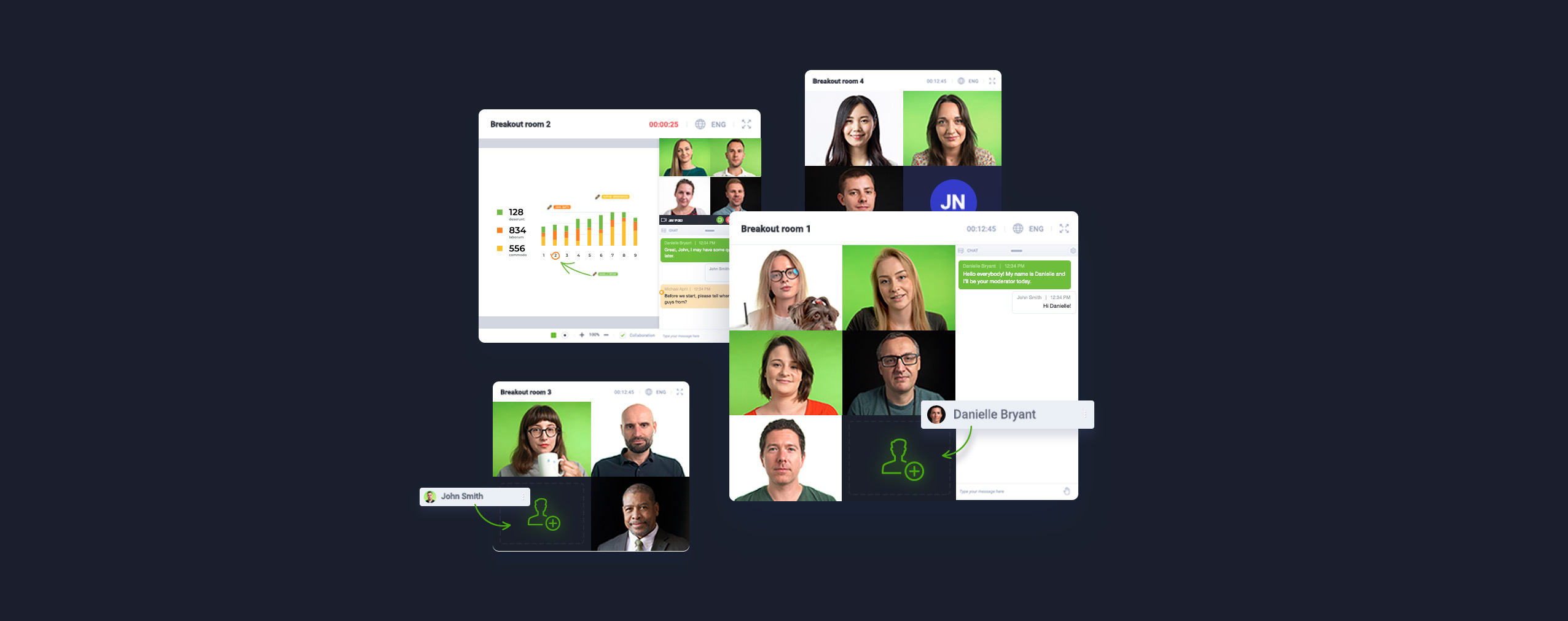
Effective video conferencing depends on more than a working camera and a fast internet connection. Video conferencing features that materially affect the video conferencing experience include: adaptive bitrate streaming (which maintains connection quality as network conditions change), noise suppression on the microphone feed, screen sharing with annotation, breakout rooms for group work, and recording with automated distribution. The ease of use of the participant flow — how quickly someone can join the conference, how intuitive the controls are, whether they need to install anything — has a direct impact on attendance and engagement.
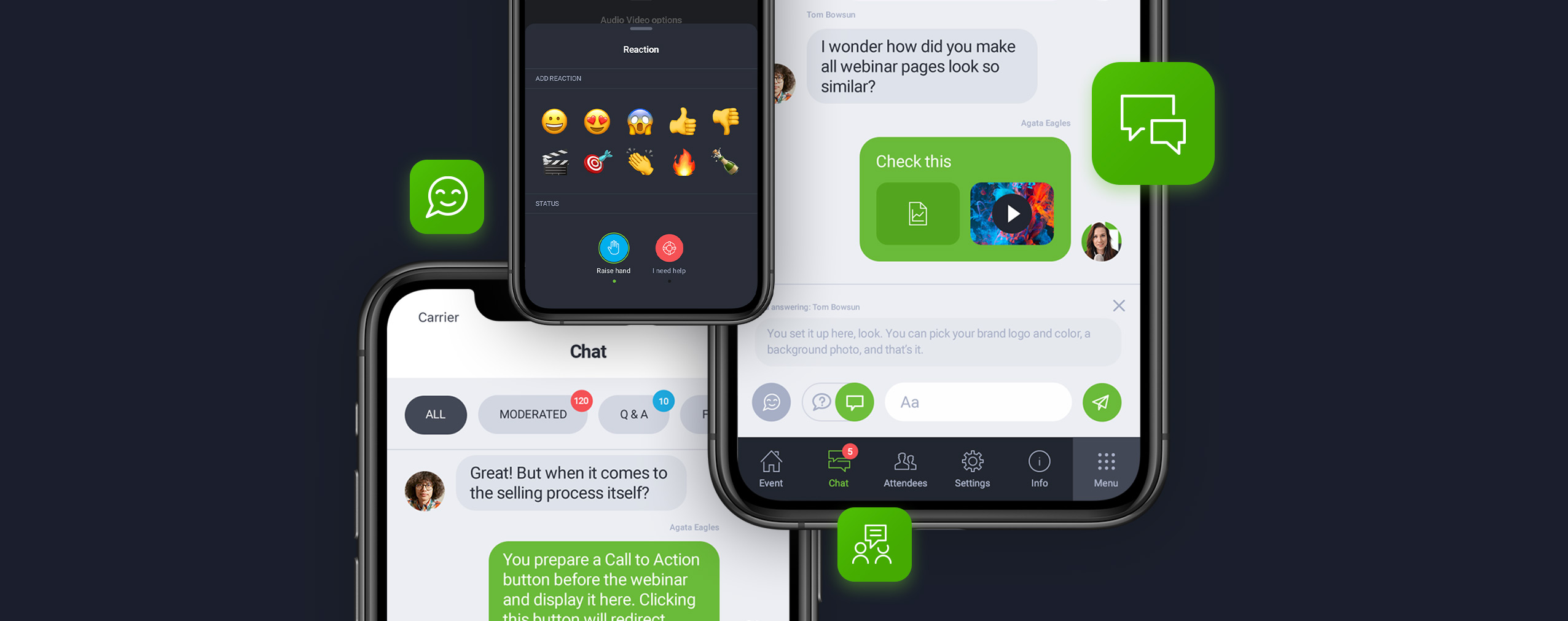
Collaboration tools are increasingly bundled with the core video conferencing tools: shared whiteboards, live polls, Q&A panels, and real-time document co-editing. These features turn a passive video call into an active working session. When evaluating video conferencing tools, test the full workflow: schedule an event, invite a participant, share a screen, run a poll, and check the recording. Common mistakes in video conferencing often trace back to features that were never properly tested before a critical meeting.
Best practices for video conferencing setups include always testing your microphone and video before going live, using a wired internet connection when possible, and ensuring your background is professional and your lighting is front-facing. These basics apply regardless of whether you are using a desktop setup, a meeting room system, or a mobile phone.
Security, Compliance, and Infrastructure: What the Videoconferencing System Runs On
For European organisations, the question of where data is processed and stored is not optional. Since the EU Court of Justice’s 2020 ruling against Privacy Shield, organisations transferring personal data to US-based servers without adequate safeguards have been in legal exposure. Interoperable video conferencing systems that store data in the US by default — including many of the top video conferencing platforms — create a compliance challenge for European users.
ClickMeeting addressed this directly. In conjunction with videoconferencing infrastructure partner OVHcloud, ClickMeeting migrated its core server infrastructure from the United States to Europe in early 2020, establishing server locations in Warsaw, Frankfurt, London, and Strasbourg. Advanced video routing uses decentralised load balancers with entry points for both European and Americas traffic, ensuring low latency regardless of participant location. DDoS protection from OVHcloud monitors and filters malicious traffic in real time, preventing attacks from reaching customer systems.
The result is a video conferencing solution where all customer data is stored within the European Union and protected under GDPR — a standard that not all conferencing solutions can meet. For organisations that use video conferencing as part of GDPR-regulated processes — HR meetings, client consultations, educational events — this is a meaningful differentiator. Both small and large organisations benefit from knowing their video conferencing services run on compliant, European infrastructure.
ClickMeeting is among the top video conferencing platforms for organisations that need European data residency, browser-based access (no hardware or software installation required for participants), and a scalable platform that supports everything from a 10-person virtual meeting to a 10,000-participant webinar. It is used for videoconferencing across education, corporate training, marketing events, and client communications. Organisations seeking the right video conferencing partner for European operations can start with a 14-day free trial covering the full feature set.
|
ClickMeeting runs on European servers, meets GDPR by default, and scales from small team calls to 10,000-participant webinars — try it free for 14 days. |
Frequently Asked Questions
Here are answers to the most common questions about video conferencing technology, hardware, software, and choosing the right platform for your organisation.
What is video conferencing technology and how does it work?
Video conferencing technology is a set of hardware and software systems that allow two or more people to communicate using live video and audio in real time over the internet. It works by encoding video and audio signals at the sender’s device, transmitting them via internet protocol, and decoding them at the receiver’s end. Video coding standards like H.264 compress the video stream to manage bandwidth while maintaining acceptable quality. The whole process happens fast enough that the conversation feels synchronous even across long distances.
What are the main types of video conferencing setups?
The three main types are desktop/software-based systems, conference room systems, and mobile conferencing. Desktop systems run through video conferencing software or a browser on a laptop or desktop computer — the most accessible option for individuals and small teams. Conference room systems use dedicated videoconferencing equipment including a video camera, microphone array, and display for shared spaces. Mobile conferencing uses the built-in camera and microphone on a smartphone or tablet, giving participants flexibility to join from anywhere.
What hardware do I need for a good video conferencing setup?
At minimum, you need a camera and microphone — either built-in to your laptop or dedicated external devices. A dedicated microphone makes the biggest practical difference to call quality, as poor audio is far more disruptive than compressed video. For desktop use, a USB webcam and a simple external microphone are a significant upgrade over built-in options. For a shared meeting room, an all-in-one conference bar (combining camera, microphone, and speaker) or a full room system provides the reliability and audio and video quality that multiple participants require. Check the hardware and software cost guide for a practical breakdown by use case.
Why does poor audio matter more than video quality in video conferencing?
Participants can follow a conversation with compressed or low-resolution video, but they cannot follow it when audio is unclear, delayed, or interrupted. Poor audio forces people to ask for repetition, miss key information, and disengage from the session. Top-notch audio — clear, low-latency, free from echo and background noise — is the single biggest quality upgrade most video conferencing setups can make. Investing in a quality microphone costs less than most webcam upgrades and delivers a more immediately noticeable improvement to the overall video experience.
What is the difference between Zoom and other video conferencing platforms?
Zoom is the most widely recognised video conferencing app globally and excels at ease of use and broad compatibility across desktop and mobile devices. However, Zoom stores data primarily on US-based servers, which creates GDPR compliance challenges for European organisations. Alternatives like ClickMeeting offer comparable video conferencing features — HD video, screen sharing, breakout rooms, recording, polls — with GDPR-compliant European data hosting as a core infrastructure standard rather than an add-on. The right choice depends on your scale, security requirements, and whether European data residency is a legal requirement for your organisation.
What is a telepresence system, and when does it make sense?
A telepresence system is a high-end videoconferencing system that uses multiple large screens, calibrated cameras, and spatial audio to simulate sitting across a table from remote participants. The result is the most realistic digital approximation of an in-person meeting currently available. Telepresence systems require significant investment in videoconferencing equipment, installation, and dedicated bandwidth. They are most appropriate for organisations where senior leadership conducts critical negotiations or strategic discussions via video, and where the realism of the interaction directly affects outcomes.
How do I ensure my video conferencing is GDPR-compliant?
GDPR compliance in video conferencing requires that personal data processed during calls — recordings, participant information, chat logs — is stored and processed within the EU or under an adequacy decision. Check where your video conferencing provider’s servers are located, whether data is transferred outside the EU, and what data processing agreements are in place. ClickMeeting stores all customer data within the European Union, making GDPR compliance a built-in feature of the platform rather than a configuration issue. Secure video conferencing practices also include password-protecting sessions, using access tokens, and locking rooms once all expected participants have joined.
What video conferencing features should I prioritise for business use?
For professional business use, prioritise: HD video and reliable audio processing, screen sharing with annotation, recording with automated distribution, breakout rooms for group work, and integration with your existing tools (CRM, calendar, LMS). The ease of use of the join flow matters enormously — if participants struggle to join the conference, attendance suffers. Collaboration tools like shared whiteboards and live polls turn video calls into productive working sessions rather than passive presentations.
Can video conferencing software replace in-person meetings entirely?
For most types of professional interaction, yes — video conferencing delivers sufficient fidelity to replace travel-dependent meetings without meaningful loss in communication quality. The exceptions tend to be relationship-initiation meetings (first impressions are still stronger in person), hands-on workshops where physical materials are central, and specific cultural contexts where in-person presence carries particular significance. Via video, teams can conduct performance reviews, strategic planning sessions, client QBRs, and product demos as effectively as in person — and often more efficiently, because the logistics are removed from the equation.
How does ClickMeeting compare to other conferencing solutions for European organisations?
ClickMeeting is a Polish-founded video conferencing platform with server infrastructure hosted entirely within Europe (Warsaw, Frankfurt, London, Strasbourg), making it the natural choice for organisations where GDPR compliance is a priority. It scales from small team virtual meetings to webinars with up to 10,000 participants, supports browser-based access without any software installation for attendees, and includes advanced video features — breakout rooms, live streaming to YouTube and Facebook, automated follow-up emails, and detailed analytics. Unlike Zoom or other US-based platforms, all data remains within the EU by default. The platform offers a 14-day free trial covering the full feature set.
|
Ready to use video conferencing that’s built for European organisations — secure, scalable, and browser-based? Start your free 14-day trial today. |