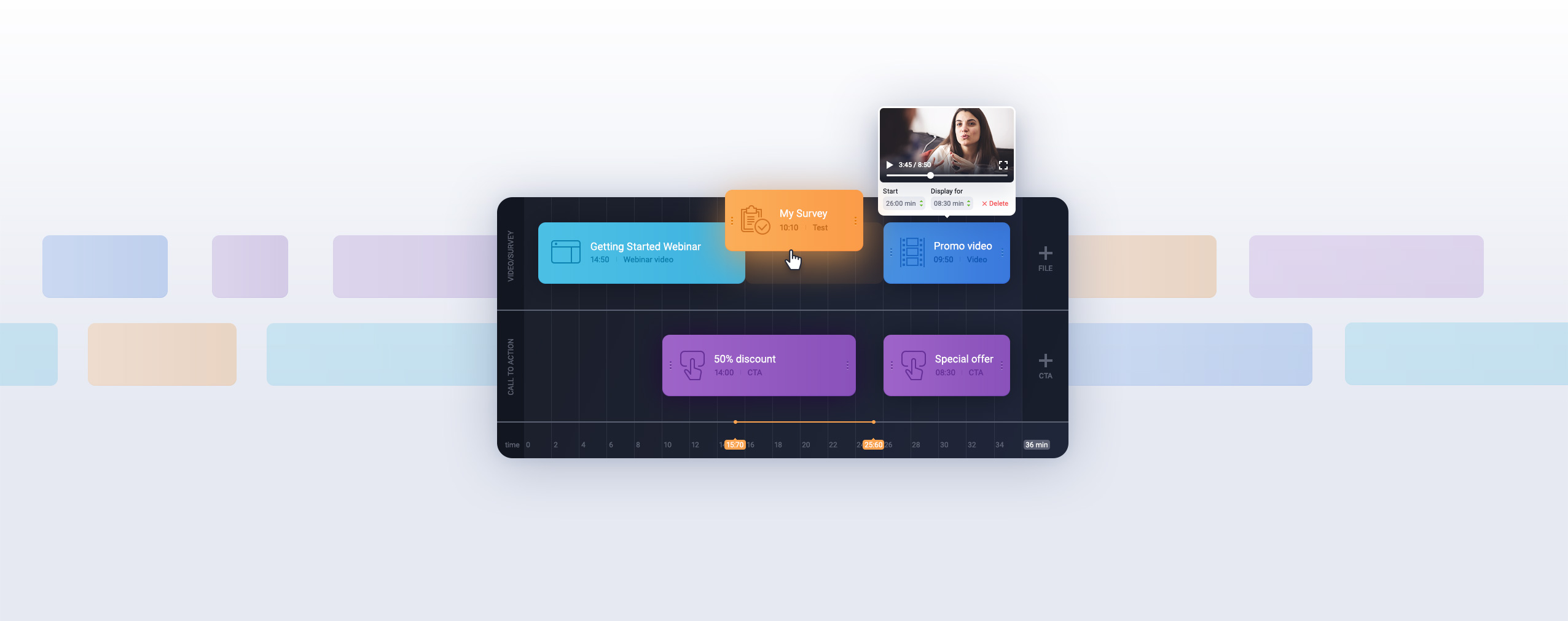

You’ve probably been invited to one, signed up for one, or heard the word tossed around at a marketing meeting. But what exactly is a webinar — and why do businesses, educators, trainers, and coaches all seem to rely on them? This guide breaks it all down — and can help you explain what a webinar is to anyone on your team who’s still skeptical: what a webinar is, how webinars work, which formats exist, and what it takes to host your first one successfully.
📌 Key Takeaways
- A webinar is a live or pre-recorded online seminar — attendees only need a browser and a link to join. No downloads, no plugins, no account required.
- Four core formats exist: live, on-demand, automated, and hybrid — each suited to different goals and audience setups.
- Purpose shapes format: lead generation, product demos, online courses, and employee training each call for a different approach.
- 73% of B2B marketers rate webinars as their highest-quality lead generation channel — and webinar landing pages average a 55% conversion rate.
- SOE 2025 data shows the average ClickMeeting event attracted 75 attendees and lasted 102 minutes — well above the industry-average attendance rate of 20–40%.
- One ClickMeeting user generated 81,018 leads through events and webinars in a single year.
What Is a Webinar?
The word “webinar” is a portmanteau of “web” and “seminar.” That’s the short answer. The longer one: a webinar is a structured online event where a host delivers content — slides, a screen demonstration, a panel discussion — to an audience connected via the internet, all in real time.
What makes it different from a YouTube video or a podcast is the interaction. Attendees can ask questions, respond to polls, engage in a live chat, and in some cases speak directly with the presenter. The audience doesn’t just watch — they participate.
Modern webinar platforms like ClickMeeting run entirely in the browser. Attendees click a link in their confirmation email and arrive in the webinar room. No software to install, no account to create, no waiting for a plugin to load. The host controls the room — presenting slides, sharing their screen, launching polls, managing the chat — all from a single dashboard. 
Scale is another defining feature. A video call handles a handful of people reasonably well; a webinar can accommodate 10,000 participants in a single session without the host losing control of the conversation.
75
average attendees per ClickMeeting event (SOE 2025) — with sessions regularly exceeding 1,000
What Is the Purpose of a Webinar? Four Goals Worth Knowing
A webinar is a format, not a purpose. The same platform can power a free educational session for 500 prospects, a paid masterclass for 50 paying students, or an internal compliance training for a distributed team of 2,000. What changes is the goal — and the goal shapes everything from the registration page to the follow-up email.
Lead Generation
Free, knowledge-rich sessions function as lead magnets. When someone registers, they exchange their contact details for access to expertise. The leads that come in are pre-qualified by definition: they showed up because they have a real interest in the topic.
The numbers from SOE 2025 illustrate what’s possible at scale. One ClickMeeting user collected 81,018 leads through sessions and events in a single year, with a single event drawing 22,880 registrations. These weren’t cold-acquired contacts — they were people who had actively sought out the content.
The broader research backs this up: 73% of B2B marketers rate webinars as the best channel for generating high-quality leads, and webinar landing pages average a 55% conversion rate — significantly higher than most other content formats.
Product Demos and Sales
Live product demonstrations move B2B prospects toward purchase decisions faster than almost any other format. You can show the product working, answer objections in real time, and end the session with a clear next step. A recording extends that impact to the people who couldn’t attend live.
For complex, considered purchases — software, professional services, enterprise tools — a well-run 45-minute demo webinar is often more persuasive than months of email follow-ups.
Online Courses and Education
Webinars offer a level of interactivity that static video can’t match. Polls, breakout rooms, virtual whiteboards, and live dialogue turn passive viewing into active learning. Attendance stays higher when participants know they can ask questions — and engagement tends to compound over time.
E Level, an education company running multiple sessions monthly, saw their attendance rate climb to 60–65% after switching to ClickMeeting, with over 85% of webinar attendees actively interacting per session. They now serve 300–600 participants across three to six sessions monthly.
Employee Training and Onboarding
Distributed teams can’t always gather in a room. Webinars replace the logistics of in-person training without sacrificing the interactivity — breakout rooms handle small-group exercises, polls measure comprehension in real time, and recordings mean anyone who missed the live session can catch up on demand.
Nest Bank compressed a 16-session, two-week onboarding program into a single day by moving to a webinar format. The content didn’t shrink — the delivery became more efficient.
Ready to run your first webinar?
Try ClickMeeting free for 14 days — no credit card required. Or book a live demo and see the platform in action.
What Types of Webinars Can You Run?
The format you choose determines how much of your time the session requires and how much flexibility attendees get. There’s no single right answer — most organizations use a mix depending on the context.
Live Webinars
Scheduled events with real-time attendance deliver the highest level of interactivity. You can adjust your presentation based on how the audience is responding, answer questions as they come in, run polls mid-session, and invite selected attendees to speak. After the session ends, the recording becomes an on-demand asset automatically.
Live sessions work particularly well for product launches, thought leadership events, and any scenario where the back-and-forth matters as much as the content itself.
On-Demand Webinars
Pre-recorded sessions sit on your registration page and deliver whenever a viewer shows up — midnight on a Thursday works as well as Tuesday at noon. The platform handles registration automatically: every registrant gets a link to access the recording, and you collect their contact details without any additional effort.
On-demand webinars suit evergreen content well — a detailed product walkthrough, an introductory course module, or a market overview that stays relevant for months.
Automated Webinars
Pre-recorded content scheduled to run like a broadcast at a fixed time. Attendees join at the scheduled hour and experience the session as it unfolds — including polls, video segments, and call-to-action prompts timed throughout. There’s no presenter required in the room, but from the attendee’s perspective the experience resembles a live event.
Automated webinars are well suited for recurring scenarios: a weekly product demo, a repeating onboarding sequence, or any content that’s been refined to the point where improvisation would only make it worse.
Hybrid Webinars
Hybrid webinars combine an in-person audience with remote participants joining via the platform. A speaker presents from a physical venue while the webinar software simultaneously streams to online attendees, who participate through the chat and Q&A panel just as they would in a fully remote session.
This format handles scenarios where some attendees can travel and others can’t — annual conferences, company all-hands events, and training sessions that span multiple locations. The recorded stream then serves both groups as a post-event asset, and remote attendees experience the same content in real time rather than waiting for an edited recording.
Open, Password-Protected, or Paid — Choosing Your Access Model
Beyond format, you control who can enter your webinar and on what terms. There are three practical models, and the right one depends on your goal for the session.
Open-access webinars accept any registrant. Anyone who finds the registration page can sign up. This model suits lead generation and brand awareness — the goal is reach, and friction is the enemy.
Password-protected or token-gated webinars restrict access to a defined group. Internal training sessions, client-only briefings, and exclusive content for paying subscribers all work this way. Participants receive access credentials alongside their confirmation email.
Paid webinars require ticket purchase before room entry. ClickMeeting integrates with Stripe and PayU, so payment and access control work automatically — no separate checkout process to manage.
The revenue case for paid sessions is clear in the SOE 2025 data: the average paid session on ClickMeeting generated €1,024 in revenue, with organizer earnings up 40% year-on-year and ticket sales up 24%. The platform’s top earner made nearly €350,000 from paid sessions in one year.
How Does a Webinar Differ from Other Formats?
Several formats overlap with webinars in name or appearance. The distinctions matter because choosing the wrong format for your goal creates friction — either for you as the host or for your attendees.
Webinar vs. Webcast: What’s the Difference?
The core difference is interactivity. A webcast is a one-way broadcast — think of it as live streaming content to a passive audience. Viewers watch, but they can’t ask questions, respond to polls, or engage in any meaningful way with the presenter. A webcast is closer to live television than to a seminar.
A webinar runs in both directions. The host presents, but the audience can ask questions in real time, respond to polls, participate in chat discussions, and sometimes speak directly. That interactivity is what makes webinars effective for education, lead generation, and sales — passive audiences don’t convert nearly as well as engaged ones.
In practice, the terms are sometimes used interchangeably in casual conversation. But the distinction holds when you’re choosing a platform or planning a format: if audience engagement matters to your goal, you want a webinar.
Webinar vs. Video Call: What Changes at Scale?
A video call — on Zoom, Teams, or any other platform — is designed for conversation between a small group. Everyone can see each other, everyone can unmute and speak, and the format assumes relatively equal participation. It works well for team meetings, one-on-ones, and small working sessions.
A webinar is designed for one-to-many communication. The host leads; the audience participates through structured channels — chat, Q&A panel, polls — rather than by speaking freely. This structure scales. You can run a webinar for 5,000 people with the same degree of control you’d have with 50. A video call for 5,000 people would be chaos.
Webinars also include features that video calls typically don’t: registration pages, automated reminder emails, attendee analytics, and the ability to charge for access.
Webinar vs. In-Person Seminar: The Practical Trade-offs
In-person seminars have real advantages. The energy of a shared physical space, the informal conversations between sessions, the absence of digital distractions — for certain content and certain audiences, nothing online fully replicates that.
But webinars remove a significant set of constraints. There’s no venue to book, no catering to arrange, no travel costs for speakers or attendees, and no hard ceiling on attendance imposed by room capacity. A seminar that fills a 200-person venue once a quarter becomes a webinar that reaches 2,000 people every month.
Shane Skwarek of S-FX built $380,000 in revenue across 698 webinars over a decade. The consistency and scale of delivery that a recurring webinar series enables is genuinely difficult to achieve with in-person events.
“What we see consistently in our data is that webinars outperform other digital formats for one simple reason: they create a shared moment. Attendees show up at the same time, experience the same content, and interact in real time. That shared experience is very difficult to replicate with a PDF or a pre-recorded video — and it’s why conversion numbers for webinars are consistently stronger than for most other content formats.”
Tomasz Bołcun
Brand Manager @ ClickMeeting
How Does Webinar Software Work?
A webinar platform handles three distinct phases of an event: the setup before, the live session itself, and the post-event follow-through. Modern software covers all three from a single interface.
Before the event: The platform generates a registration landing page where interested attendees sign up. You configure the form fields, set access rules — open, password-protected, or paid — and activate automated reminder emails to go out at intervals you specify. From that point, registrations collect automatically.
During the session: The webinar room opens in a browser. The host manages everything from one screen: switching between slides and screen share, launching polls, monitoring the chat window and questions panel, managing the recording, and keeping an eye on live attendance data. Attendees join by clicking the link in their invitation email — no download, no plugin, no account required.
After the event: The recording is available immediately. The platform generates attendance and engagement statistics: who joined, how long they stayed, which poll questions they answered, which links they clicked. Automated follow-up emails go out to all registrants — attendees and no-shows alike — with the recording link and any materials you want to share.
Shane Skwarek of S-FX has been running every online event on ClickMeeting since 2012. Across 698 events and 24,735 unique attendees, his agency has generated over $380,000 in revenue. He notes that training a new presenter takes under 15 minutes — the platform doesn’t require a technical background to use confidently.
What Features Matter Most?
Every webinar platform advertises a feature list. The features that actually matter are the ones your audience experiences directly — and the ones that save you time in the hours before a session goes live.
Screen sharing is non-negotiable for demos and training. Showing a product interface or walking through a document in real time communicates far more efficiently than describing it. For any scenario where seeing matters as much as hearing, screen sharing is the baseline.
Polls do two things simultaneously: they maintain audience attention at natural lulls in a presentation, and they give you immediate data on what the audience thinks. E Level builds poll moments into every event and consistently achieves over 85% active interaction per session.
Chat and Q&A panel convert a lecture into a conversation. The chat lets attendees communicate without interrupting the presentation; the Q&A panel lets the host manage incoming questions systematically, responding to the most relevant ones and deprioritizing those that fall outside the session scope.
Recording extends the lifespan of every session. A 60-minute live event becomes an on-demand asset that keeps generating registrations and leads for months afterward. The recording captures the full session — including polls and Q&A exchanges — and is available immediately after the event ends.
Registration and automated emails handle the operational side so you can focus on the content. Automated reminders sent at 48 hours, 24 hours, and 1 hour before a session significantly improve attendance rates — data consistently shows that people who receive a reminder an hour before are more likely to show up than those who only got a confirmation at registration.
Integrations connect your webinar data to the rest of your workflow. ClickMeeting integrates with HubSpot, Zapier, Stripe, PayU, Moodle, and more — so registrant data flows into your CRM and payment processing for paid sessions runs without manual handling.
See every feature in action
Try ClickMeeting free for 14 days and explore polls, screen sharing, Q&A, automated reminders, and more — no credit card needed.
How to Host Your First Webinar
The technical side of running a webinar takes less than an hour to set up for most first-time hosts. The strategic decisions — topic, timing, content structure, and follow-up plan — are where the real work happens. Here’s what to think through before you go live.
What Equipment Do You Need?
You don’t need a studio. A standard home office setup produces entirely acceptable webinar quality. The essentials are straightforward:
- Microphone: A dedicated USB microphone or quality headset makes a bigger difference than any other single upgrade. Built-in laptop microphones pick up keyboard noise and room echo — a standalone mic keeps your audio clean.
- Webcam: 720p is the practical minimum; 1080p is noticeably better and widely available at low cost. Good framing and eye-level positioning matter as much as resolution.
- Lighting: Natural light from a window in front of you works well. If you present regularly, a ring light or softbox eliminates the inconsistency of relying on daylight.
- Internet connection: A stable upload speed of at least 5 Mbps handles a standard session without issues. A wired ethernet connection is more reliable than Wi-Fi for anything live.
- Quiet environment: Background noise is harder to fix than poor video quality. A closed door, silenced notifications, and any noisy devices switched off go a long way.
Most first-time hosts already have most of this. Run a test session before going live, and upgrade based on what you actually notice — not on a pre-emptive shopping list.
How Do You Choose the Right Topic?
Specificity drives registrations. “How to improve your marketing” attracts a diffuse audience. “How to increase webinar attendance rate by 30% in 90 days” attracts exactly the person you want in the room. A clear registration page title that states what the attendee will know or be able to do after the session drives sign-ups more reliably than almost anything else in your promotion.
When Should You Schedule Your Session?
SOE 2025 data consistently points to Wednesday and Thursday afternoons — 4:00 PM to 6:00 PM — as the best windows for attendance in most markets. Mondays and weekends tend to underperform. German-speaking audiences show an exception: early mornings (7:00–9:00 AM) perform consistently well for that segment.
The industry average attendance rate sits between 20–40% of registrants. If you’re hitting that range or above, your timing and reminder strategy are working. Automated reminders at 48 hours, 24 hours, and 1 hour before the session are the single most reliable lever for pushing attendance toward the higher end of that range.
How Should You Structure the Content?
A 20-slide deck with clear visuals holds attention far better than 60 text-heavy screens. Structure the session in three parts: set up the problem or question in the first ten minutes, work through the substance in the middle, and reserve the final ten to fifteen minutes for questions and a clear next step.
Ask your audience a question in the first five minutes — a poll works well here — to signal that this session is participatory, not a lecture. Add another poll at a natural pause in the middle. Open the Q&A panel before your final wrap-up so questions accumulate while you’re still presenting.
What Happens After the Session?
Send the recording within 24 hours, along with a summary of the key takeaways and any resources you referenced. Some attendees won’t act on what they learned until they watch the session a second time. Others who couldn’t attend live will engage with the recording more deeply than they would have engaged with the live session.
The follow-up email is where a significant portion of the conversion from a lead-generation webinar actually happens. Make the next step concrete and singular: one link, one action, one offer.
S-FX built $380,000 in revenue across 698 webinars over a decade — not through any single remarkable session, but through the discipline of running sessions consistently, following up systematically, and treating every event as one step in a longer relationship rather than a standalone performance.
Frequently Asked Questions
What does a webinar typically look like?
A standard webinar opens with a host presenting slides, a screen demonstration, or a panel discussion. Attendees watch through a browser window and participate via a chat panel, a dedicated Q&A section, and periodic polls. Sessions typically run between 30 minutes and two hours, depending on the topic and format.
What is the difference between a webinar and a video call?
A video call is designed for small-group conversation — everyone can speak, the discussion is informal, and the format doesn’t scale well beyond 10–15 active participants. A webinar is designed for one-to-many communication: the host leads, the audience participates through structured channels. Webinars also include features video calls don’t — registration, automated reminders, attendee analytics, and the option to charge for access.
Can attendees see each other during a webinar?
In most webinar setups, attendees cannot see each other. They see the presenter’s video feed (if the host has their camera on) and any content being shared. This is intentional — it keeps the session focused and prevents the visual overload of hundreds of simultaneous video feeds. Attendees interact through chat and Q&A rather than through video.
Do attendees have to speak or turn on their camera?
No. In a standard webinar, attendees are muted by default and their cameras are off. Participation happens through typed chat, Q&A submissions, and poll responses. If the host wants to bring a specific attendee on screen to speak, they can do so by invitation — but it’s never automatic or required.
Is a webinar the same as a Zoom call?
Not exactly. Zoom is a platform that offers both video meetings (small-group calls) and a separate Zoom Webinars product designed for one-to-many broadcasting. The word “webinar” refers to the format, not to any specific platform. ClickMeeting is a dedicated webinar platform built specifically for this format, with features like automated registration, attendee analytics, paid access, and browser-only entry that general-purpose video conferencing tools don’t always include.
Does a webinar require a webcam?
Not strictly. You can run a webinar presenting slides and sharing your screen without a camera feed at all. In practice, having your camera on increases audience engagement — people respond better to a face than to a disembodied voice. A basic 720p webcam is sufficient for most webinar scenarios.
What is the difference between a webinar and a webcast?
A webcast is a one-way broadcast — viewers watch but cannot interact. A webinar is interactive: attendees can ask questions, respond to polls, and participate in live chat. If your goal involves audience engagement, education, or conversion, a webinar is the right format. A webcast makes sense for large-scale broadcasting where real-time interaction isn’t needed or practical.
Do attendees need to download software to join?
With ClickMeeting, no. Attendees join by clicking a link in their invitation email — no download, no plugin, no account needed. The session runs directly in their browser. Hosts work the same way.
What are the different webinar formats available?
Four formats serve different scenarios. Live webinars run in real time with a present host and full audience interaction. On-demand webinars are pre-recorded and available whenever a viewer chooses to watch. Automated webinars feature recorded content scheduled to broadcast at a set time, with pre-built interactive elements. Hybrid webinars combine an in-person audience at a physical venue with remote participants joining via the platform simultaneously.
How many people can attend a webinar at once?
ClickMeeting supports up to 10,000 participants per event. The SOE 2025 average is 75 attendees per session, but popular events scale significantly — Centrum Verte draws over 6,000 registrations per session for their HR knowledge series, with a single event reaching 22,880 registrations.
When is the best time to schedule a webinar?
Wednesday and Thursday afternoons between 4:00 PM and 6:00 PM produce the highest attendance in most markets, based on SOE 2025 data. Monday and weekend sessions tend to underperform. German-speaking audiences show consistently strong attendance for early morning slots (7:00–9:00 AM).
What should you look for when choosing a webinar platform?
Prioritize reliability, ease of use for both host and attendees, and the features you’ll actually use: screen sharing, polls, chat, Q&A, recording, and automated registration reminders. Verify that the platform integrates with your CRM, email tool, and payment system. The no-download requirement for attendees is worth checking specifically — friction at the entry point costs you attendance before the session even starts.
Can you charge people to attend a webinar?
Yes. Paid webinars require ticket purchase before room entry. ClickMeeting integrates with Stripe and PayU to handle payment and access control automatically. SOE 2025 data shows the average paid session generated €1,024 in revenue, with the platform’s top annual earner making nearly €350,000.
How does ClickMeeting help organizations run webinars?
ClickMeeting is browser-based webinar software that covers the full event lifecycle: registration pages, automated reminder emails, the live room (with screen share, polls, chat, Q&A, whiteboard, breakout rooms, and recording), and post-event analytics. It supports up to 10,000 attendees, integrates with HubSpot, Zapier, Stripe, PayU, Moodle, and other tools, and offers a 14-day free trial with no credit card required.
Start your first webinar in under an hour
ClickMeeting handles registration, reminders, the live room, and post-event analytics — all in the browser, no downloads required. Try it free for 14 days.