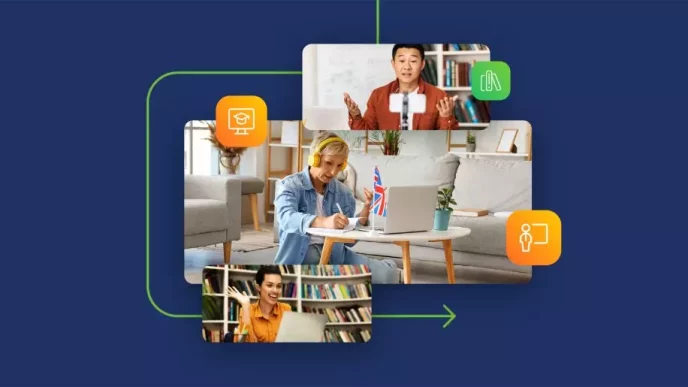

The word teleconference sounds technical, but the idea is simple: it is a live meeting between people who are not in the same place. Whether it is a quick phone call between two offices or a webinar for hundreds, a teleconference connects people in different locations in real time. This guide gives you a clear teleconference definition, walks through each type of teleconference, explains how teleconferencing works behind the scenes, and shares tips for running one well.
|
📌 Key Insights
|
What is the definition of a teleconference?
A teleconference is a live audio or audiovisual meeting that connects two or more participants in different locations through a telecommunications link. The word teleconference joins “tele” (meaning “at a distance”) with “conference” (a meeting for the exchange of information), so a teleconference is, quite literally, a meeting held at a distance. It is sometimes called a virtual meeting or an online meeting, though those labels usually imply video. The connection can carry voice only, or a combination of video and audio, depending on the type you choose.
The key idea is that a teleconference is a live, two-way exchange rather than a recording or a broadcast. Everyone can speak and be heard in real time, which is what separates it from watching a video or reading an email. To see how teleconferencing fits alongside every other way to meet online, our complete guide to what teleconferencing is and how it works covers the wider picture.
What is the history of teleconferencing?
Teleconferencing began with the telephone, long before the internet existed. For most of the twentieth century, a teleconference meant a group of people dialing into a shared line over copper telephone lines, with a telephone service provider connecting the call. Audio was the only option, quality was mixed, and every extra participant added cost. 
The shift to digital changed everything. As telecommunications moved onto computer networks, voice and then video could travel over the same connection as everything else, and the old phone lines gave way to internet-based calls. What was once a costly voice communication tool for large companies became something anyone with a laptop could do for free.
|
Want to see how far teleconferencing has come? Host your own audio or video meeting in the browser and try it free. |
How does teleconferencing work?
Teleconferencing works by capturing audio or video at each end and sending it across a network so everyone receives it almost instantly. In the traditional model, participants dial a designated phone number to connect to a call hosted on a conference bridge, which mixes every voice into one shared line. This dial-in method still exists and remains useful when people are away from a computer.
Today most teleconferencing runs over the internet using VoIP — Voice over Internet Protocol — which turns speech into data and sends it across a wide area network alongside your other traffic. This is how internet telephony replaced dedicated phone lines: instead of a separate circuit for the call, the same connection carries voice, video, and screen sharing together in real-time. In effect, one telecommunication network now handles all your audio and video communications. A stable connection matters more than anything, because it is what keeps the conversation smooth.
What are the main types of teleconference?
There are three main types of teleconference, and they differ by how much information the connection carries. Choosing the right one depends on what the meeting needs — sometimes voice is enough, and sometimes you want faces and shared screens. Here is how each type works.
What is an audio teleconference?
An audio teleconference is a voice-only meeting, the closest relative of the traditional conference call. Participants join by phone or through an audio conference online, and everyone hears everyone else. Because audio conferencing needs little bandwidth, it is stable and simple, which makes it ideal for a quick telephone meeting where nobody needs to see anything.
What is a video teleconference?
A video teleconference adds the camera, so a combination of video and audio lets participants see each other as they talk. It ranges from a one-way video broadcast, where an audience watches a single presenter, to a two-way video call using a webcam where everyone is visible. This is the format most people now picture when they think of video conferencing or a video call — on a tool like Zoom or a browser platform — and it suits meetings where expression and rapport matter.
What is a web teleconference?
A web teleconference — sometimes called computer conferencing — combines audio and video with screen sharing, instant messaging, and shared documents inside a single meeting platform. This is the richest type, and it powers webinars, online training, and large interactive events. Because everything happens in teleconferencing software, participants get tools that a phone line never could, from polls to recordings. Many providers bundle these as teleconferencing services, and it sits at the heart of modern web conferencing.
|
“ People get tangled up in the vocabulary — teleconference, video conference, web conference — when the only question that matters is what the meeting needs to do. If it is three people making a fast decision, an audio teleconference is perfect and anything more is overkill. If you are training a hundred people or closing a deal, you want video, screen sharing, and a real meeting platform behind you. The word matters far less than the fit. Pick the type that matches the job, and the technology stops being a distraction and starts being useful. Tomasz Bołcun, Brand Manager @ ClickMeeting |
What are the advantages and disadvantages of teleconferencing?
The biggest advantage of teleconferencing is that it lets people communicate over long distances instantly, without the time and cost of travel. Teams collaborate on projects in real time, colleagues in different locations join the same teleconference meeting from a laptop or mobile device, and a small company can reach a national audience. The State of Online Events 2025 report shows the scale this unlocks: the average online event now gathers 75 attendees, far more than most rooms could hold.
The disadvantages are real too. A teleconference loses some of what an in-person meeting offers — the side conversations, the body language, the ease of reading a room. Technical issues, background noise, and connection drops can interrupt the flow, and a poorly run call can feel less focused than meeting face to face. The trade-off is almost always worth it, but knowing the limits helps you plan around them.
How do you run a successful teleconference?
Running a successful teleconference comes down to preparation and a clear meeting host who keeps things on track. The technology is the easy part; the discipline of a good meeting is what makes the difference between a sharp call and a rambling one. When you are conducting a teleconference, these habits help:
- Share an agenda in advance so everyone knows the purpose before they join a teleconference.
- Send one clear link so participants can access the meeting from any device without hunting for details.
- Mute when not speaking to cut background noise, especially on larger calls.
- Assign a host to guide the discussion, manage questions, and keep to time.
- Record the session so anyone who missed it can catch up later.
How does ClickMeeting make teleconferencing easy?
ClickMeeting brings audio and video teleconferences into one browser-based platform, so you do not need separate teleconferencing tools for a quick call and a large webinar. Attendees click a link and join from a browser — no download, no PIN — whether they are on a laptop or a mobile device. The platform handles up to 10,000 participants and adds screen sharing, polls, Q&A, and automatic recording on top of plain video.
Data is hosted in Europe under full GDPR compliance, which matters when your calls involve clients or sensitive information. If you want to compare it against other options, our roundup of the best video conferencing software goes deeper, and for voice-only needs our guide to audio conferencing covers the lighter end. You can test everything with a 14-day free trial, no credit card required.
Frequently Asked Questions
Here are answers to the most common questions about teleconferencing and what the term means.
What does the word teleconference mean?
The word teleconference combines “tele” (at a distance) with “conference” (a meeting to exchange information). It refers to a live meeting between people in two or more locations connected by a telecommunications link. The connection can be voice only or include video.
What is the difference between a teleconference and a conference call?
A conference call is usually the audio-only kind made over the phone, while a teleconference is the broader term that also includes video and web meetings. In other words, a phone conference call is one type of teleconference. A teleconference call can carry far more than voice.
What are the main types of teleconference?
The three main types are the audio teleconference (voice only), the video teleconference (voice plus camera), and the web teleconference (audio, video, and shared screens). Each suits a different purpose, from a quick voice sync to a large interactive webinar.
How does a teleconference work?
A teleconference captures audio or video and sends it across a network to everyone on the call. Traditional calls used telephone lines and a conference bridge; modern ones use VoIP over the internet. Participants either dial a designated phone number or click a link to join.
Is a teleconference the same as a video conference?
A video conference is one type of teleconference — the kind that includes cameras. Teleconferencing is the broader term that also covers audio-only and web meetings. So every video conference is a teleconference, but not every teleconference has video.
What equipment do I need to join a teleconference?
For an audio teleconference, a phone is enough. For a video teleconference, you need a device with a camera and microphone — a laptop or mobile device with a webcam works well — plus a stable internet connection. Browser-based platforms need no extra software.
What are the advantages and disadvantages of teleconferencing?
The main advantage is connecting people over long distances instantly, saving travel time and cost. The disadvantages include losing some of the nuance of an in-person meeting and the risk of technical issues or background noise. For most teams the benefits far outweigh the drawbacks.
Can a teleconference include many people?
Yes. A phone conference call handles a handful of people, but a web teleconference can host thousands. ClickMeeting supports events for up to 10,000 participants, covering everything from a small team meeting to a large webinar.
How do I run an effective teleconference?
Share an agenda in advance, send one clear link so people can access the meeting easily, assign a host to guide the discussion, and mute to reduce background noise. Recording the session helps anyone who could not attend catch up afterward.
How does ClickMeeting support teleconferencing?
ClickMeeting runs audio and video teleconferences in the browser for up to 10,000 participants, with screen sharing, polls, recording, and reminder emails built in. Attendees join with one link, and data is hosted in Europe under GDPR. A 14-day free trial lets you test it first.
|
Now you know what a teleconference is — try running one. Host audio and video meetings for up to 10,000 people in the browser, free for 14 days. |